


Mission Assistant vs. ChatGPT

AI built to support nonprofit work

ChatGPT gives you flexible, general-purpose AI. Mission Assistant combines nonprofit-aware chat, guided workflows, and review-ready deliverables in one workspace built around your organization.

Ask questions. Follow guided workflows. Finish work your team can use.

Choose the right AI for what comes next

ChatGPT is a flexible tool for writing, brainstorming, research, and everyday questions. You provide the prompt, context, source material, and review process.

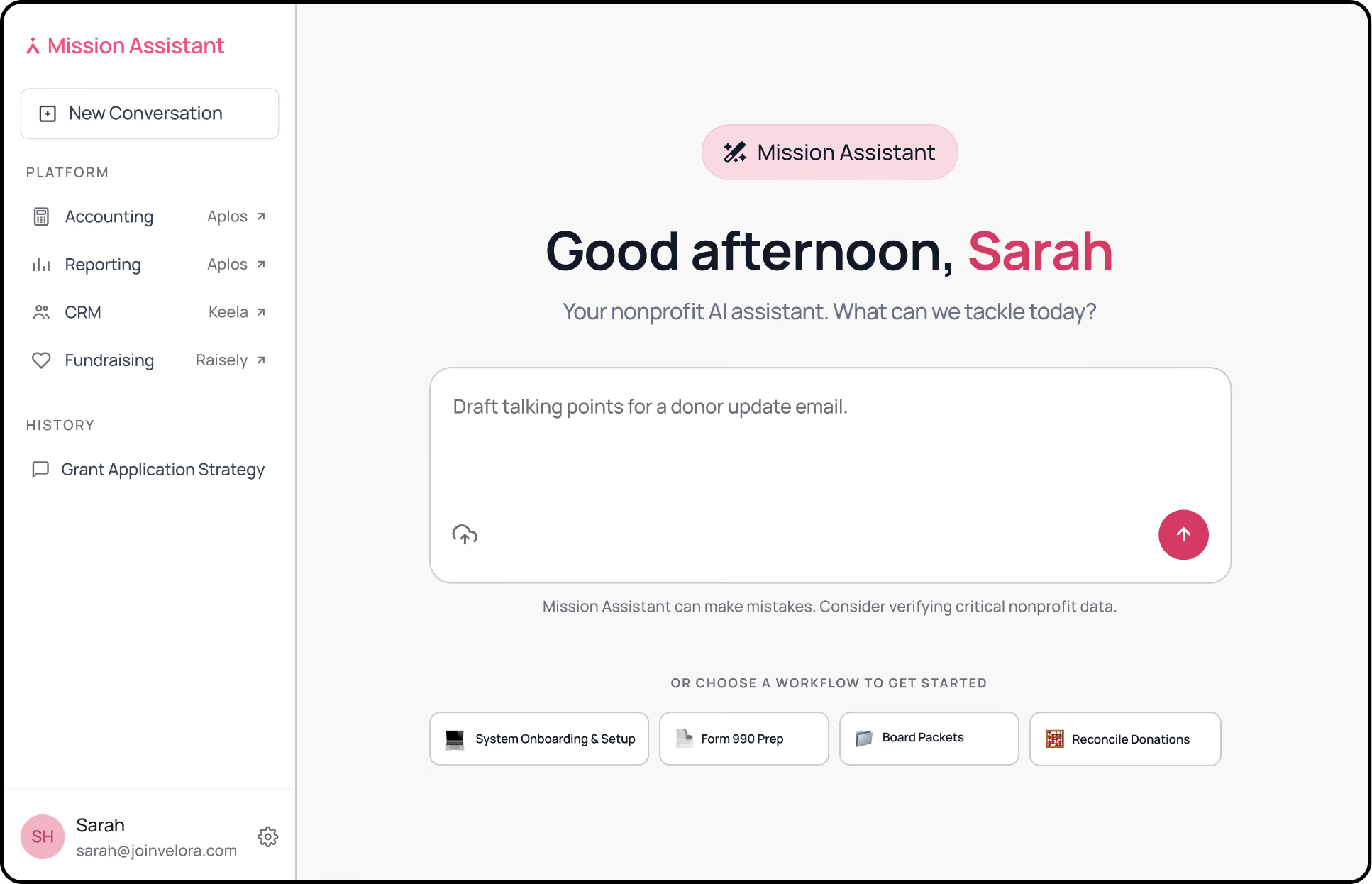
Mission Assistant starts with nonprofit knowledge and context about your organization with guided workflows, human review, and ready-to-use deliverables.

ChatGPT

  • Built for broad AI tasks: Useful for writing, research, analysis, brainstorming, and everyday questions.
  • Starts with a prompt: You provide the context, define the process, and explain what you want to produce.
  • Flexible responses: Answers are shaped by the context and instructions you provide in each interaction.
  • General-purpose outputs: Your team reviews, formats, and turns responses into finished work.

Mission Assistant

Built for nonprofit work: Designed for recurring nonprofit operations, reporting, finance, and more.

Starts with context: Nonprofit knowledge and organizational context inform every interaction.

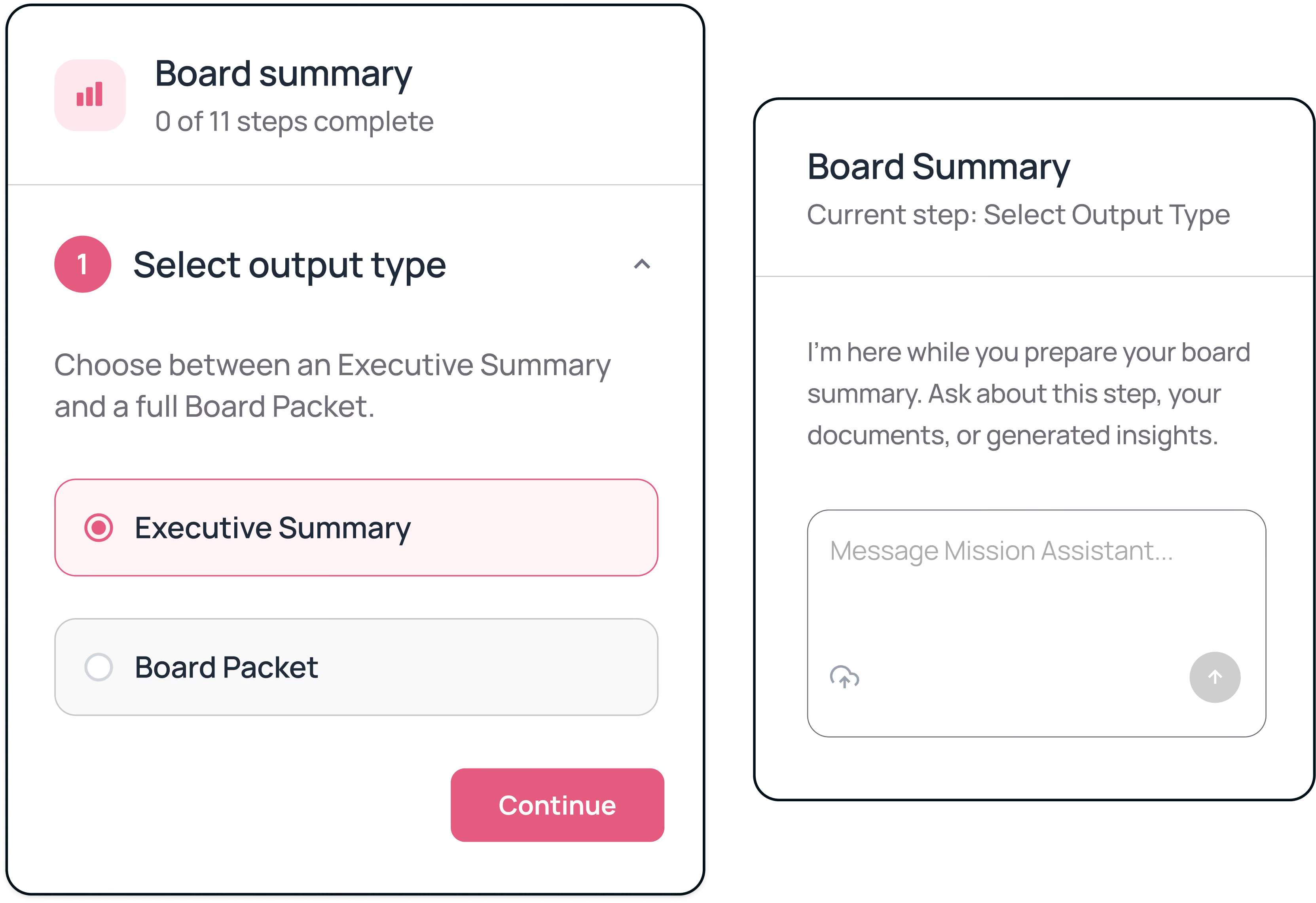
Guided workflows: Step-by-step guidance brings structure to complex nonprofit tasks.

Review-ready outputs: Create reports, summaries, reconciliations, 990 filing packages, and more.

Bring nonprofit context into every interaction

ChatGPT can support nonprofit work, but your team has to provide the context first. That means explaining how your organization operates, what the documents represent, which details matter, and what a useful output should look like.

Mission Assistant combines chat with knowledge of nonprofit operations and context about your organization. Ask questions and receive guidance shaped by the realities of nonprofit work.

Board Reporting
Donation Reconciliation
Form 990-EZ Preparation
Software Onboarding

A clearer path through complex nonprofit work

Prepare board materials with less manual assembly

Board reporting often requires financial reports, fundraising updates, program notes, and organizational context. Gathering and summarizing that information can take hours before the writing begins.

Mission Assistant guides you through the inputs and review process. You decide which insights belong in the final output, then generate board-ready materials for review.

OUTCOME

Spend less time assembling information and more time preparing for the conversation.

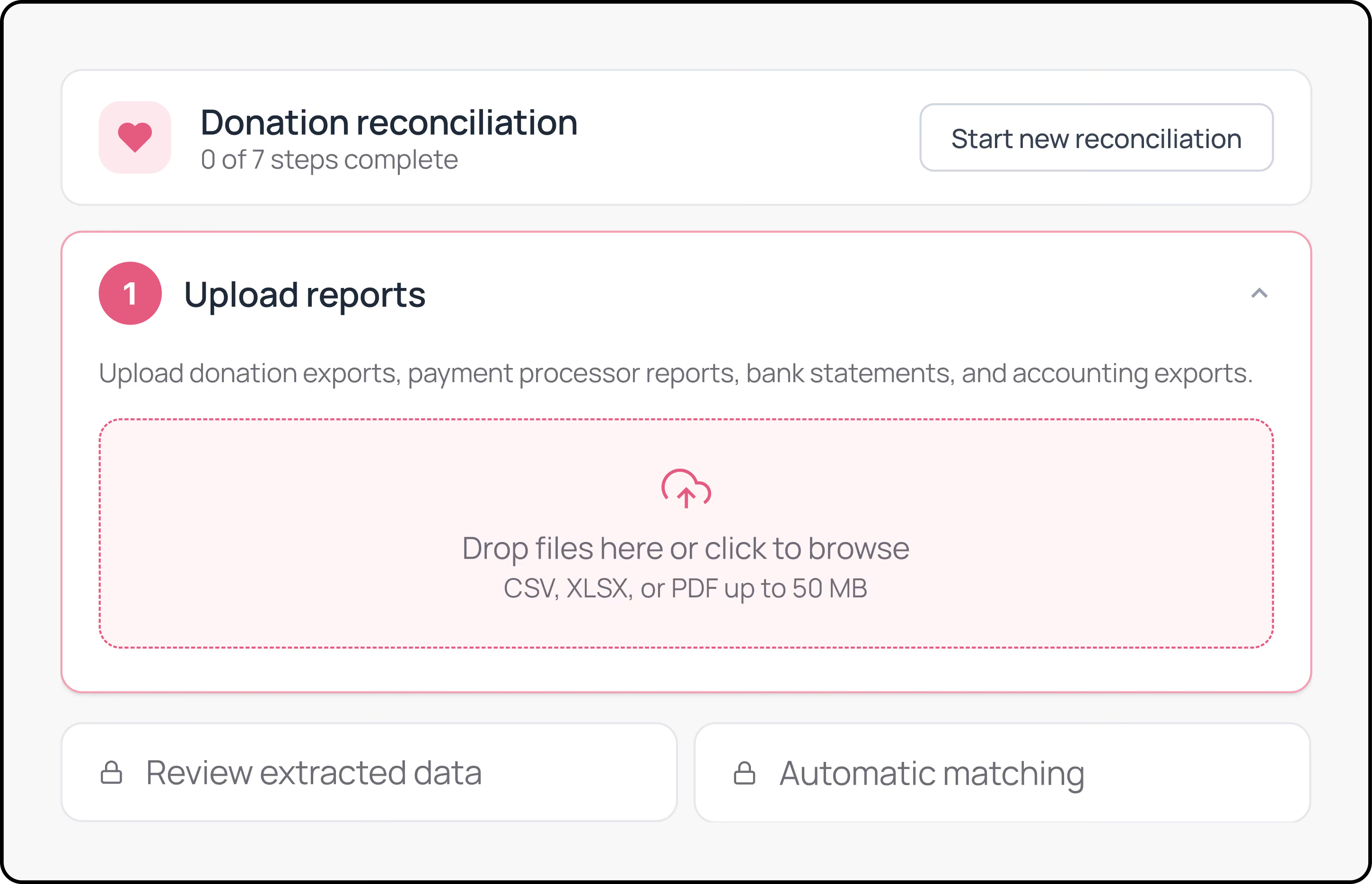
Find Gaps in Donation Reconciliation

Comparing donation records, payment processor reports, bank statements, and accounting exports can leave teams working across several spreadsheets.

Mission Assistant helps organize records, identify likely matches, and surface exceptions that need human review. Your team stays responsible for approving results and updating the appropriate systems.

OUTCOME

Focus attention on unresolved records instead of checking every line manually.

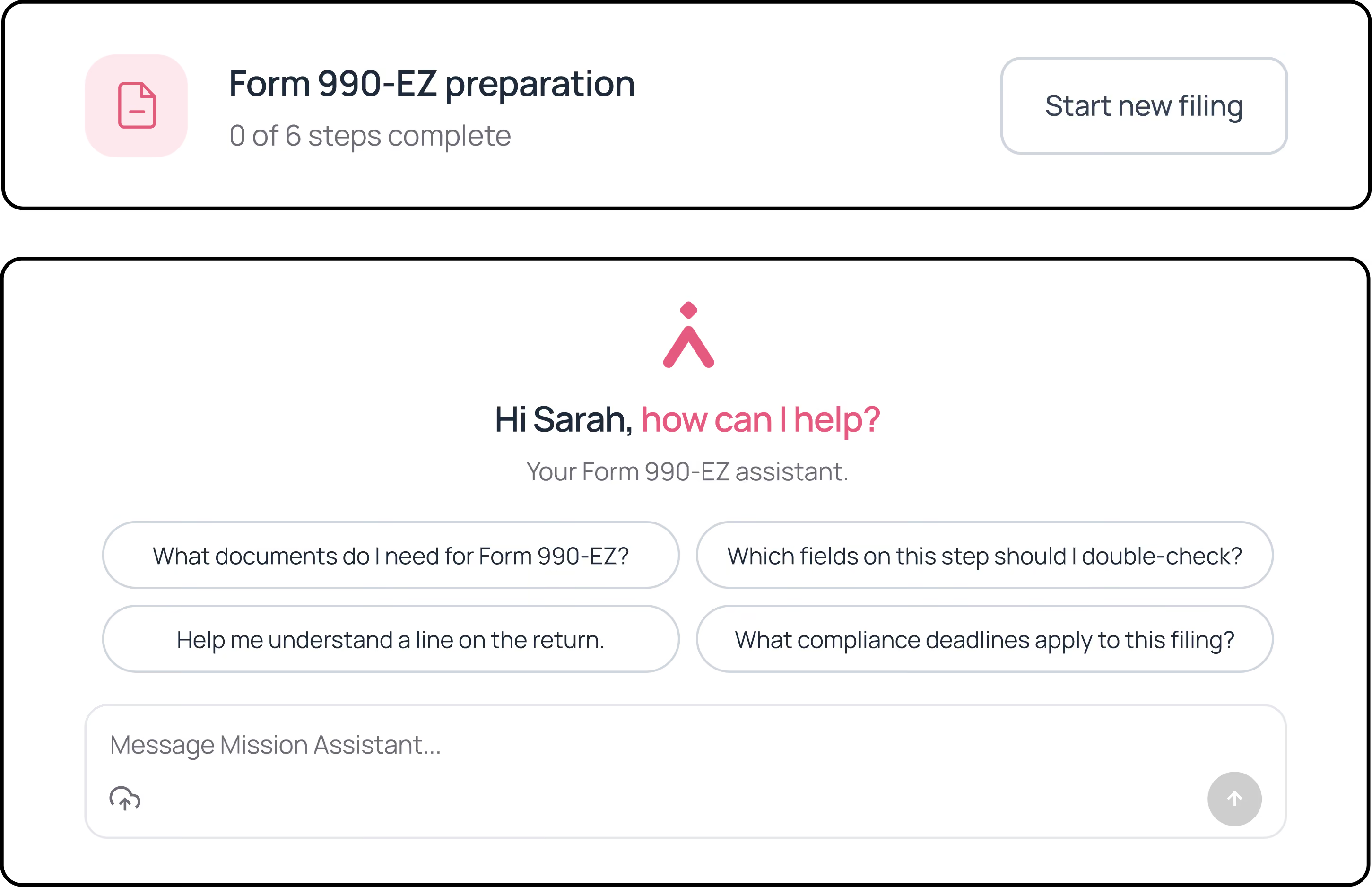
Organize form 990-EZ preparation

Preparing Form 990-EZ requires collecting source documents, answering detailed questions, checking extracted information, and organizing materials for review.

Mission Assistant guides your team through the preparation workflow and creates a review-ready filing package. It does not file with the IRS or replace professional tax or accounting review.

OUTCOME

Bring structure to preparation while keeping final decisions with your team.

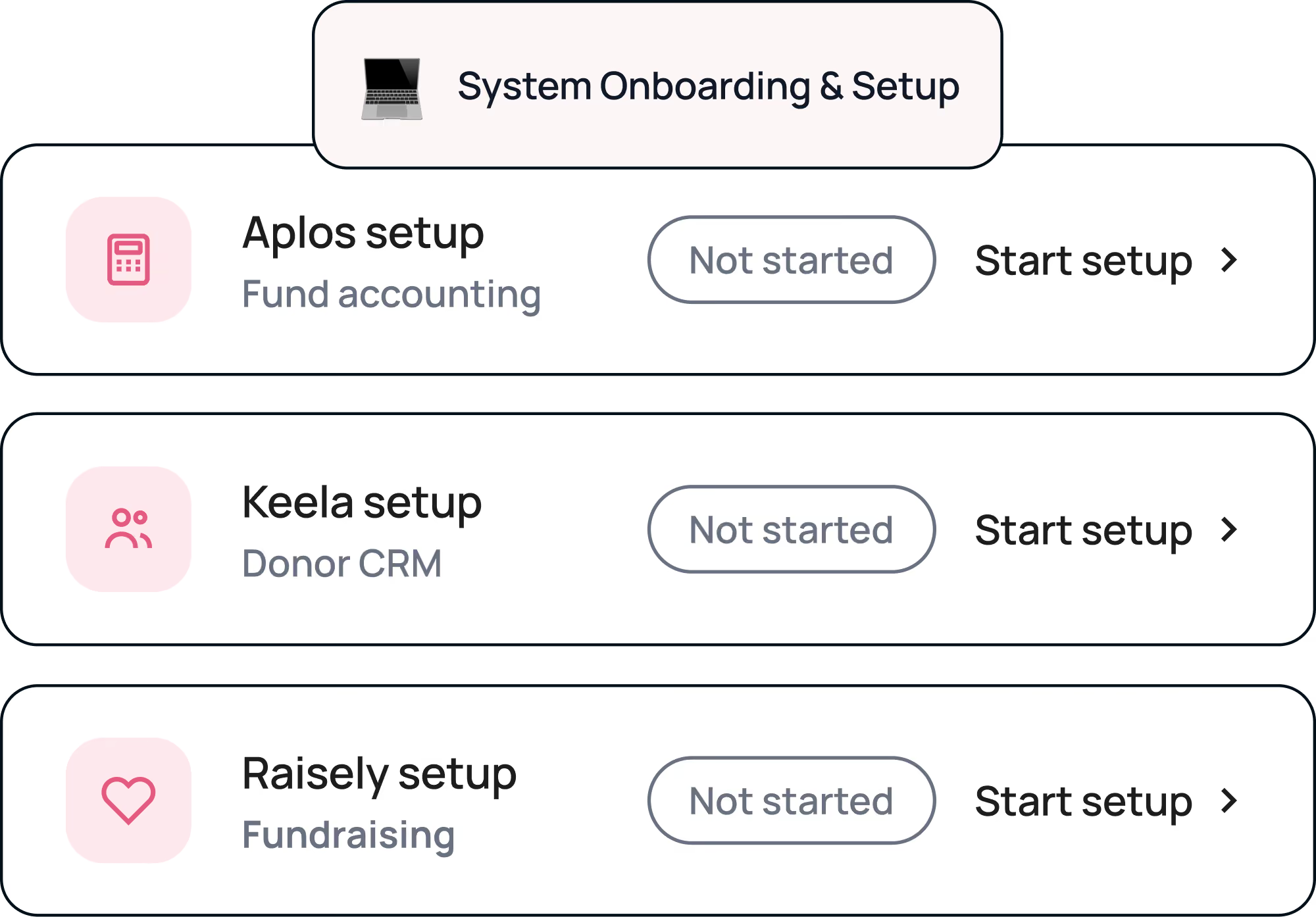
Guide staff through software onboarding

Generic checklists rarely reflect the actual setup path for nonprofit software. New team members may still need to search for instructions or rely on the person who knows the system best.

As you get started with Velora products, Mission Assistant makes it easy for you or your newest staff and volunteers to gain clear instructions for onboarding.

OUTCOME

Give staff a clearer path through setup and training.

Move through recurring work with clearer steps

Prepare Board Materials With Less Manual Assembly

Board reporting often requires financial reports, fundraising updates, program notes, and organizational context. Gathering and summarizing that information can take hours before the writing begins.

Mission Assistant guides you through the inputs and review process. You decide which insights belong in the final output, then generate board-ready materials for review.

OUTCOME

Spend less time assembling information and more time preparing for the conversation.

Find Gaps in Donation Reconciliation

Comparing donation records, payment processor reports, bank statements, and accounting exports can leave teams working across several spreadsheets.

Mission Assistant helps organize records, identify likely matches, and surface exceptions that need human review. Your team stays responsible for approving results and updating the appropriate systems.

OUTCOME

Focus attention on unresolved records instead of checking every line manually.

Organize Form 990-EZ Preparation

Preparing Form 990-EZ requires collecting source documents, answering detailed questions, checking extracted information, and organizing materials for review.

Mission Assistant guides your team through the preparation workflow and creates a review-ready filing package. It does not file with the IRS or replace professional tax or accounting review.

OUTCOME

Bring structure to preparation while keeping final decisions with your team.

Guide Staff Through Software Onboarding

Generic checklists rarely reflect the actual setup path for nonprofit software. New team members may still need to search for instructions or rely on the person who knows the system best.

Mission Assistant provides guided onboarding steps, product resources, checklists, and saved progress for supported Velora products.

OUTCOME

Give staff a clearer path through setup and training.

Gain efficiency while keeping your team in control

AI-generated work still needs informed human review, especially when it involves finances, donors, boards, or compliance-adjacent processes. Mission Assistant is designed around that responsibility:

Review extracted information
Edit generated insights
Approve or reject recommendations
Check uncertain matches
Download outputs for final review
Decide what gets filed, shared, or updated

Start with the systems you already use

You do not need to move your data or replace your existing software to begin using Mission Assistant. The Mission Assistant works with the files and information your team provides. That means you can try a guided workflow without changing your CRM, accounting software, fundraising platform, or grant management system.

Upload the relevant files

Follow workflow-specific questions

Review extracted information

Edit or approve the results

Download the completed output

Take the final action in your system

Go beyond the answer

General-purpose AI can help you find answers. Mission Assistant helps turn those answers into progress with nonprofit context, guided workflows, human review, and deliverables designed around your mission.

Guided workflows. Human review. Outputs your team can use.

Frequently asked questions

Is Mission Assistant the same as ChatGPT?

No. ChatGPT is a general-purpose AI assistant for writing, research, brainstorming, analysis, and other broad tasks. Mission Assistant guides nonprofit teams through specific workflows with built-in steps, review points, and outputs designed for the work.

Icon - Elements Webflow Library - BRIX Templates

Why would I use Mission Assistant if I already use ChatGPT?

ChatGPT is useful when you want flexible help with a one-off task. Mission Assistant is designed for recurring nonprofit work where the process matters as much as the answer. It helps you gather the right inputs, move through the required steps, review the results, and create an output your team can use.

Icon - Elements Webflow Library - BRIX Templates

What nonprofit work can Mission Assistant help with?

Mission Assistant currently supports guided workflows for board reporting, donation reconciliation, Form 990-EZ preparation, and software onboarding. Each workflow guides you through the information needed, the review process, and the final output.⁠

Icon - Elements Webflow Library - BRIX Templates

Does Mission Assistant connect to my live Velora data?

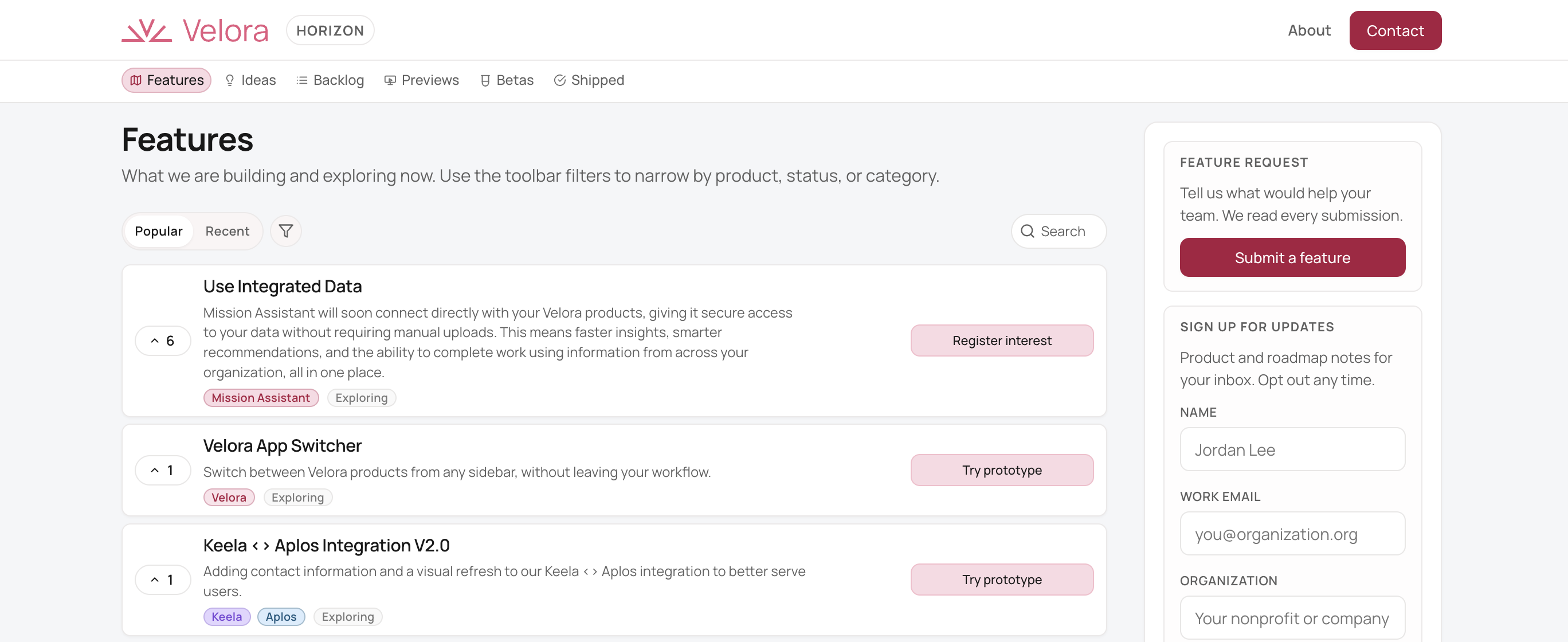
Not today. In the standalone product, you upload the reports, exports, documents, or other information needed for each workflow. Mission Assistant does not currently pull live data from Velora products or other systems.⁠

Icon - Elements Webflow Library - BRIX Templates

Do I need to replace my current software?

No. You can use Mission Assistant with files and exports from the systems you already use. You do not need to replace your CRM, accounting software, fundraising platform, or grant management system to get started.⁠

Icon - Elements Webflow Library - BRIX Templates

Does Mission Assistant take action for my organization?

Mission Assistant creates review-ready outputs and recommendations. It does not file forms, send board materials, modify customer records, or update external systems. Your team reviews the work and decides what happens next.⁠

Icon - Elements Webflow Library - BRIX Templates

Is my organization's data safe?

Yes. Your data is yours. It is never used to train foundation models, and it stays inside the same secure Velora environment you already use for Aplos, Keela, and Raisely. Mission Assistant is built for organizations that hold sensitive donor, financial, and constituent data, and trust is a first-class pillar of the product, not a footnote.

Icon - Elements Webflow Library - BRIX Templates