
AI built for your mission
Mission Assistant, Velora’s AI solution, brings chat, guided workflows, and ready-to-use deliverables into one AI workspace that understands your nonprofit.
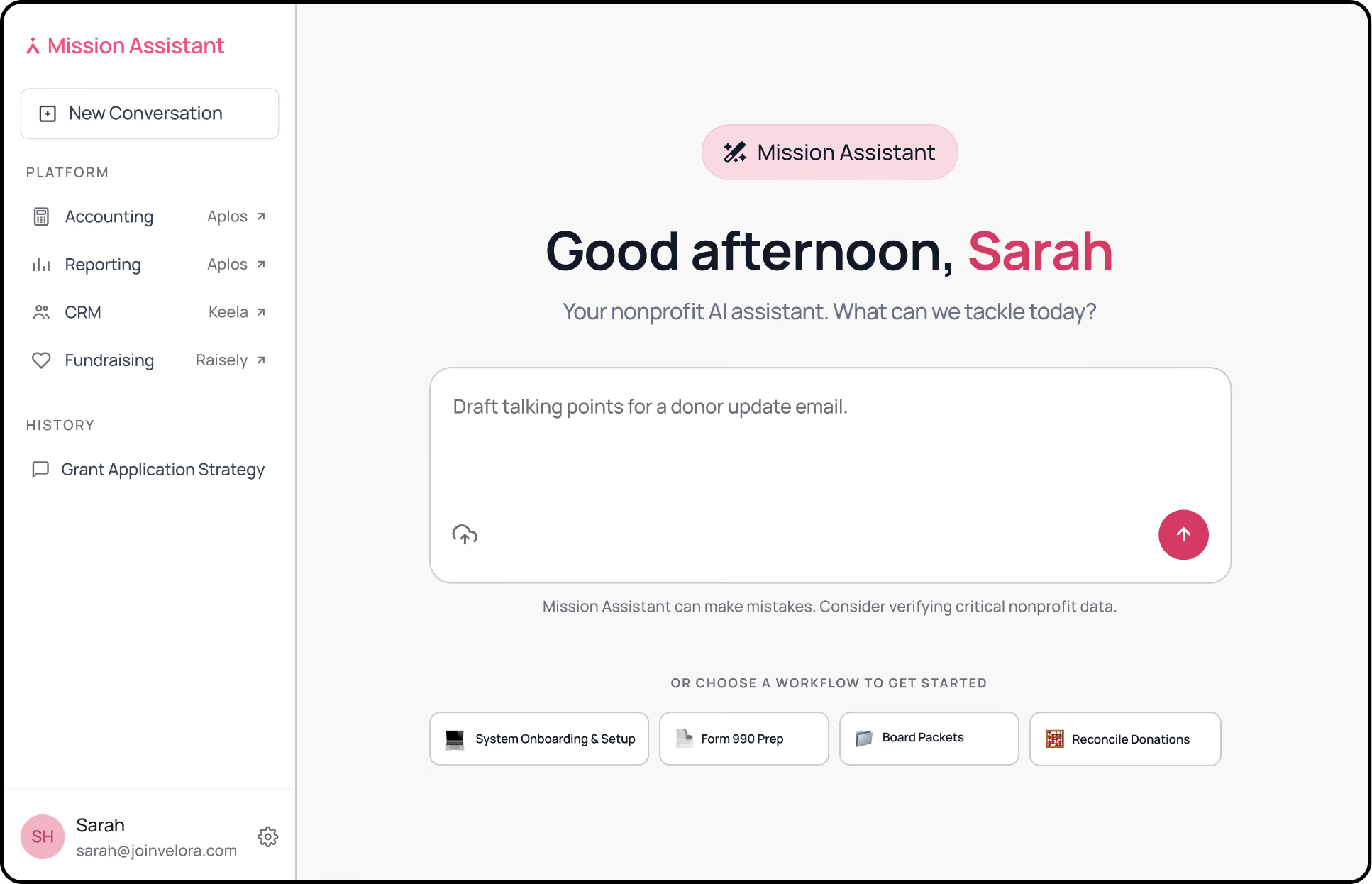
Nonprofit AI platform, grounded in trust

ASK
Find answers in context
Chat naturally with Mission Assistant, ask questions, and get answers informed by your organization and the realities of nonprofit work.

WORK
Move questions to action
Go beyond prompts with guided workflows that take you step by step through reporting, reconciliation, compliance preparation, onboarding, and more.

CREATE
Finish with work you can use
Turn organizational context and workflow inputs into board-ready reports, reconciliation outputs, 990 filing package, and other review-ready deliverables.
The future of nonprofit work, on your terms
Start with a purpose or a simple prompt
Choose guided, repeatable workflows shaped around real nonprofit jobs—with the questions, review steps, and deliverables already built in to help you move forward confidently.
Bring your operations into the future without tearing down what works
Upload the reports, exports, statements, and notes you already use while keeping your existing CRM, accounting, fundraising tools, and familiar processes in place.
Move faster while staying in control
As Mission Assistant provides answers and outputs, you can review, edit, and approve before you take further action.
More capacity for what matters most
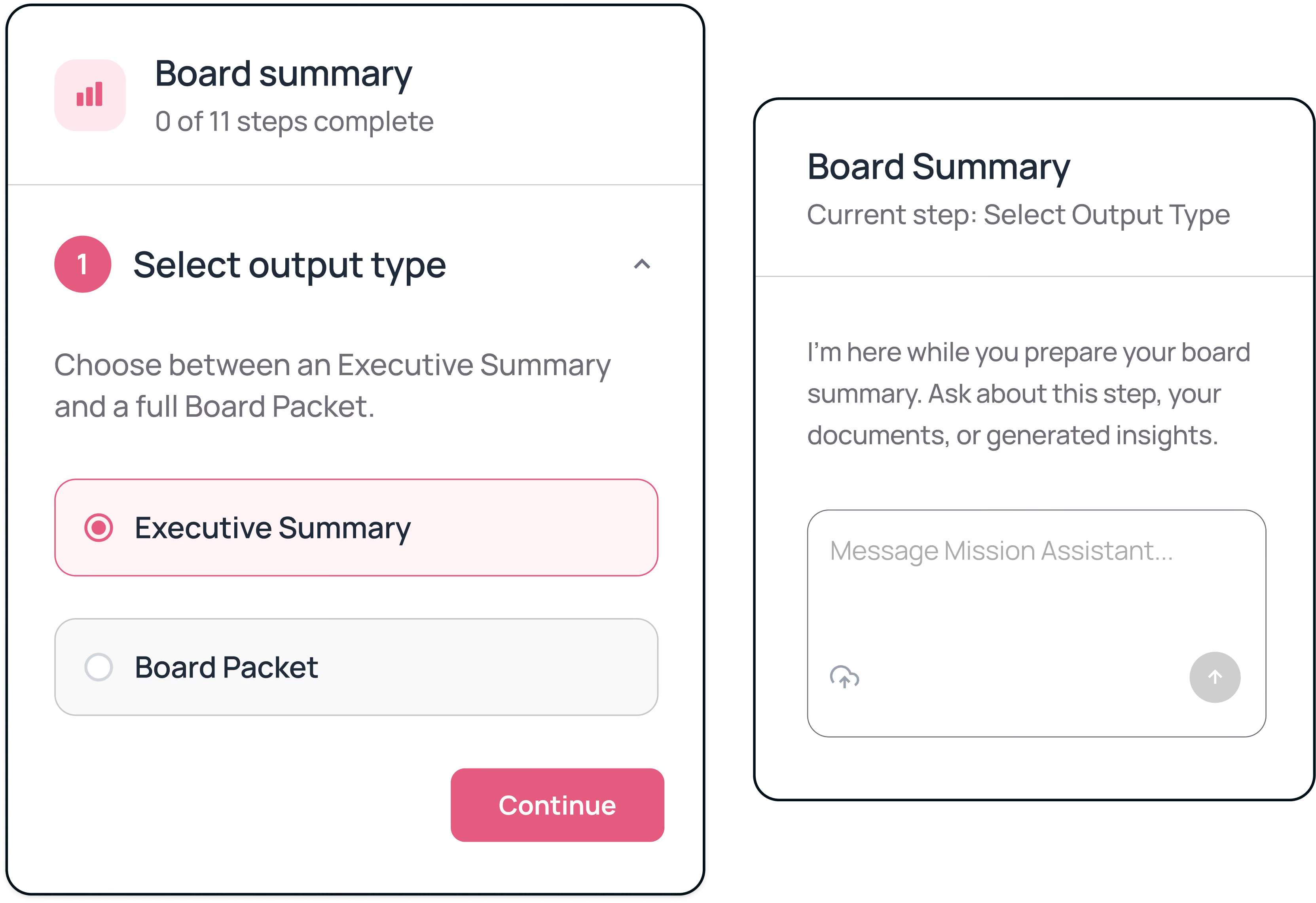
Prepare board materials with less manual assembly
Board reporting often requires financial reports, fundraising updates, program notes, and organizational context. Gathering and summarizing that information can take hours before the writing begins.
Mission Assistant guides you through the inputs and review process. You decide which insights belong in the final output, then generate board-ready materials for review.
OUTCOME
Spend less time assembling information and more time preparing for the conversation.
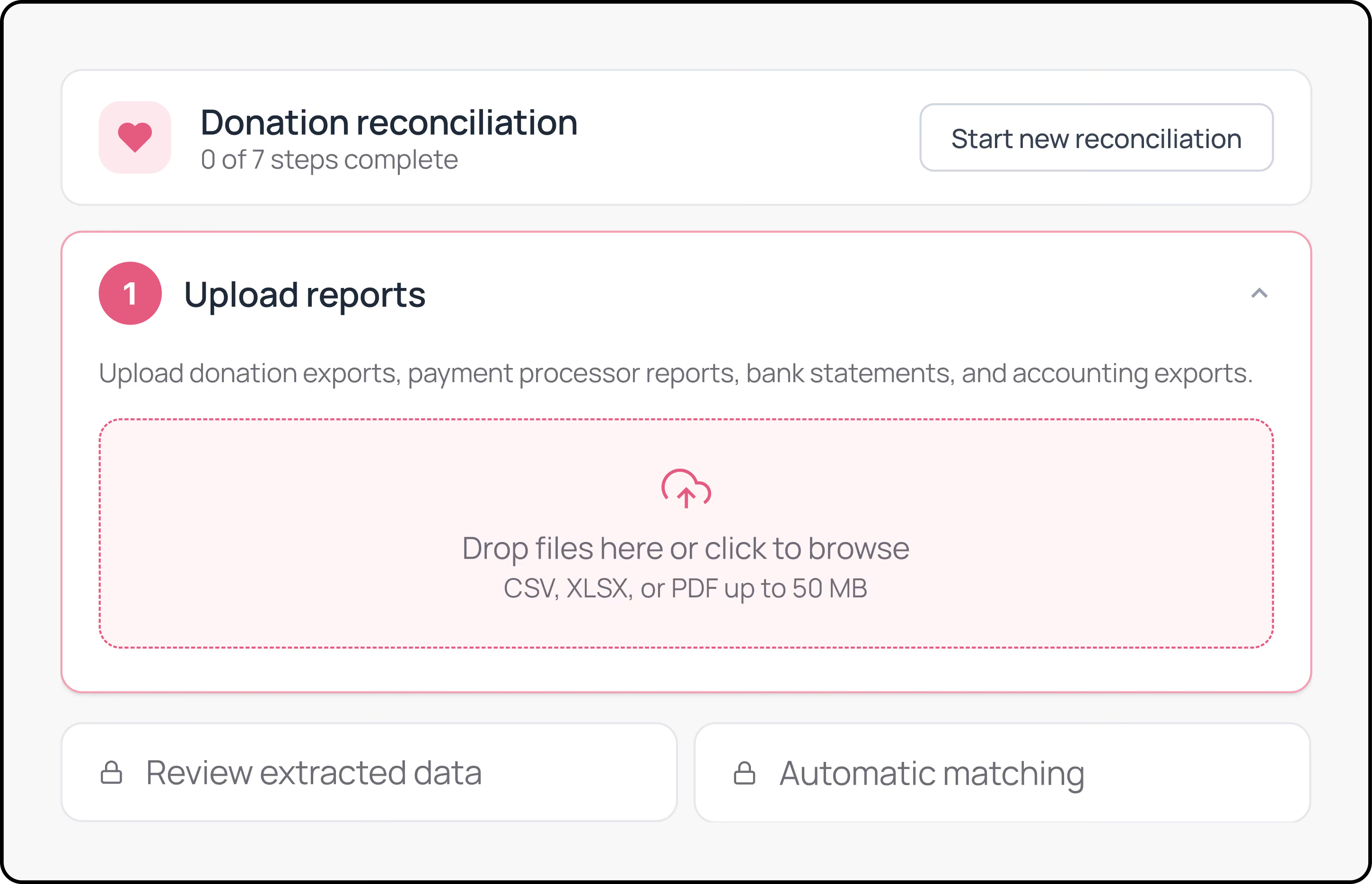
Find Gaps in Donation Reconciliation
Comparing donation records, payment processor reports, bank statements, and accounting exports can leave teams working across several spreadsheets.
Mission Assistant helps organize records, identify likely matches, and surface exceptions that need human review. Your team approves results and updates the appropriate systems.
OUTCOME
Focus attention on unresolved records instead of checking every line manually.
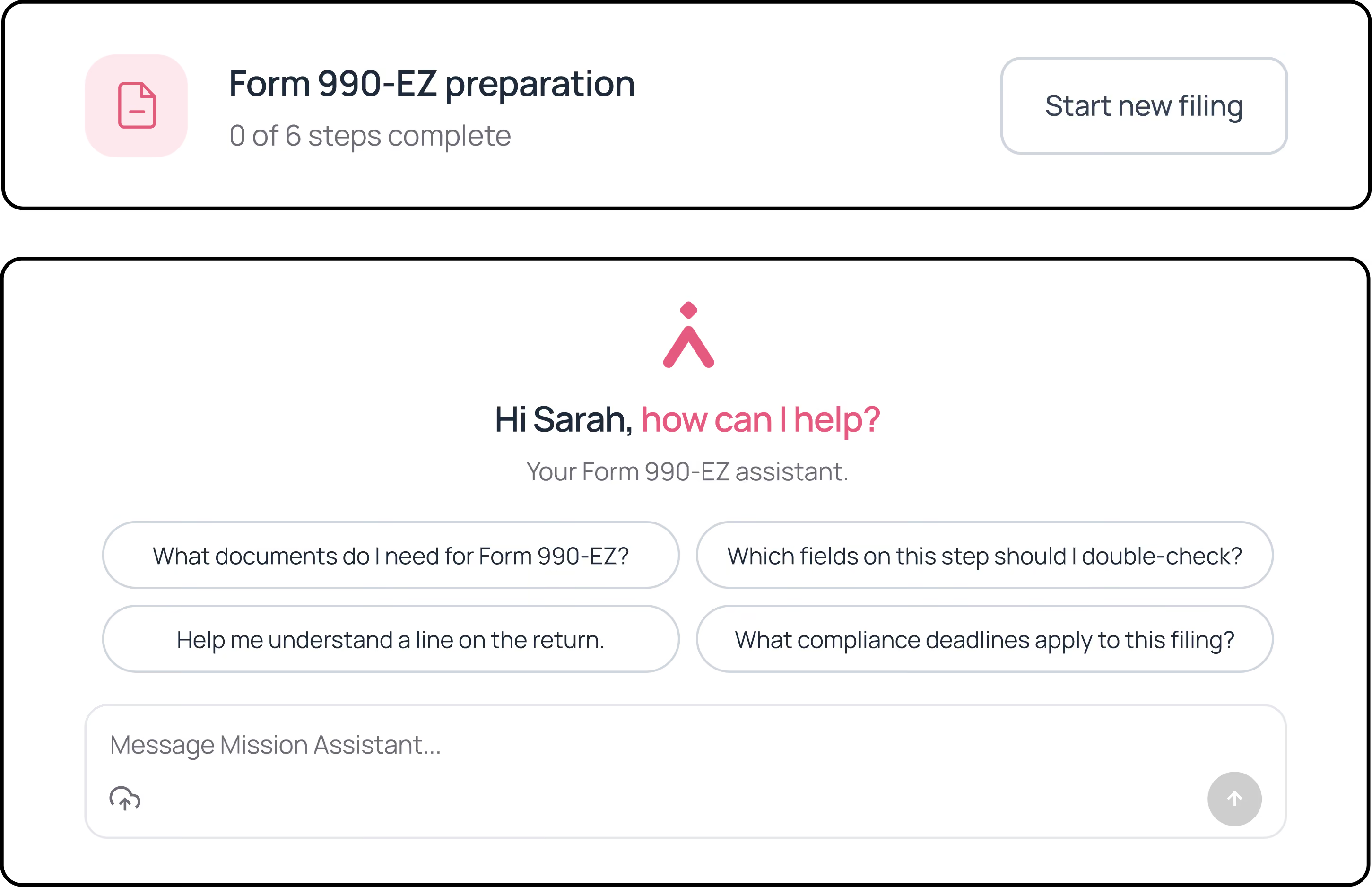
Organize form 990-EZ preparation
Preparing Form 990-EZ requires collecting source documents, answering detailed questions, checking extracted information, and organizing materials for review.
Mission Assistant guides your team through the preparation workflow and creates a review-ready filing package. It does not file with the IRS or replace professional tax or accounting review.
OUTCOME
Bring structure to preparation while keeping final decisions with your team.
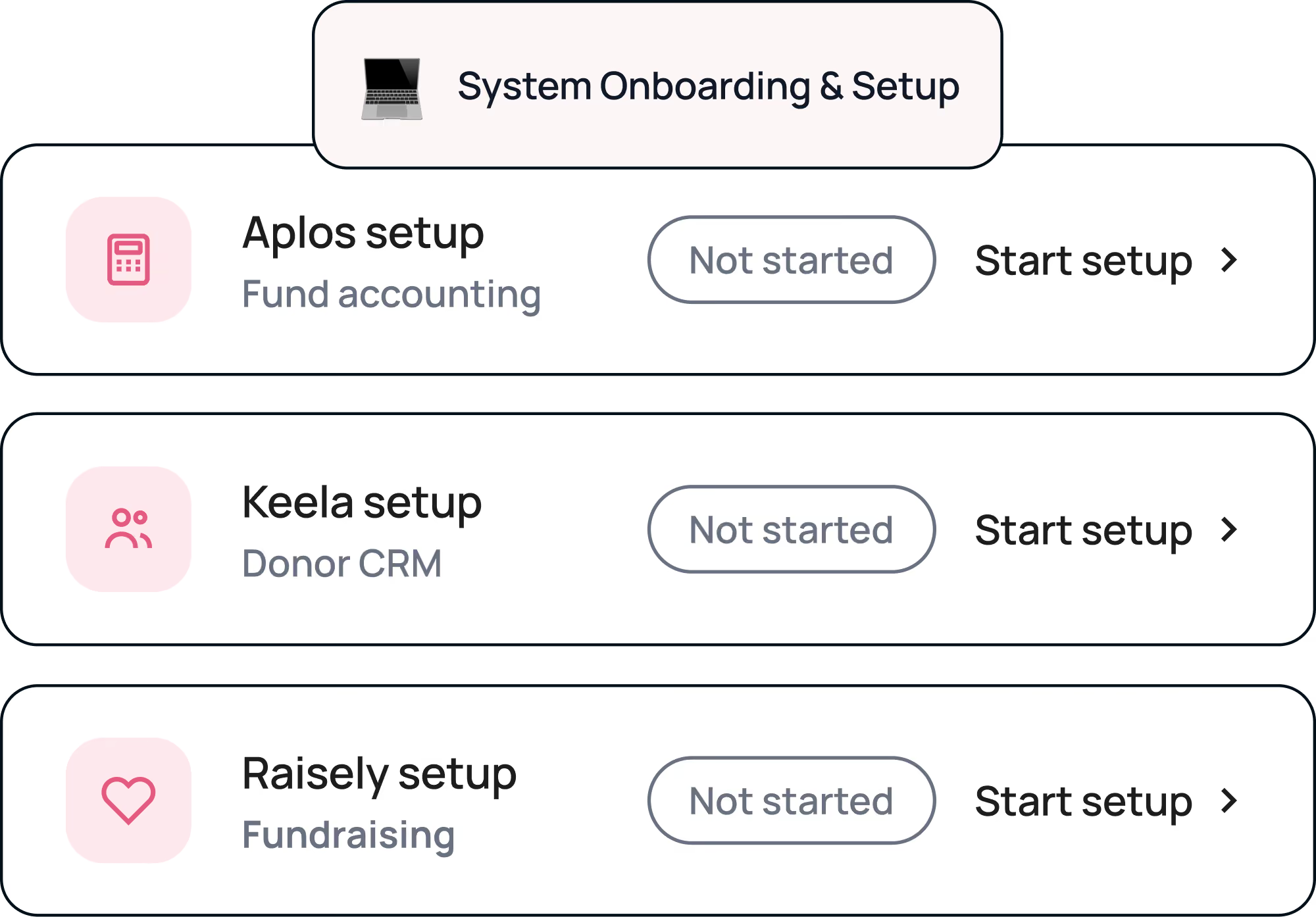
Guide staff through software onboarding
Generic checklists rarely reflect the actual setup path for nonprofit software. New team members may still need to search for instructions or rely on the person who knows the system best.
As you get started with Velora products, Mission Assistant makes it easy for you or your newest staff and volunteers to gain clear instructions for onboarding.
OUTCOME
Give staff a clearer path through setup and training.
More capacity for what matters most
Prepare Board Materials With Less Manual Assembly
Board reporting often requires financial reports, fundraising updates, program notes, and organizational context. Gathering and summarizing that information can take hours before the writing begins.
Mission Assistant guides you through the inputs and review process. You decide which insights belong in the final output, then generate board-ready materials for review.
OUTCOME
Spend less time assembling information and more time preparing for the conversation.
Find Gaps in Donation Reconciliation
Comparing donation records, payment processor reports, bank statements, and accounting exports can leave teams working across several spreadsheets.
Mission Assistant helps organize records, identify likely matches, and surface exceptions that need human review. Your team stays responsible for approving results and updating the appropriate systems.
OUTCOME
Focus attention on unresolved records instead of checking every line manually.
Organize Form 990-EZ Preparation
Preparing Form 990-EZ requires collecting source documents, answering detailed questions, checking extracted information, and organizing materials for review.
Mission Assistant guides your team through the preparation workflow and creates a review-ready filing package. It does not file with the IRS or replace professional tax or accounting review.
OUTCOME
Bring structure to preparation while keeping final decisions with your team.
Guide Staff Through Software Onboarding
Generic checklists rarely reflect the actual setup path for nonprofit software. New team members may still need to search for instructions or rely on the person who knows the system best.
Mission Assistant provides guided onboarding steps, product resources, checklists, and saved progress for supported Velora products.
OUTCOME
Give staff a clearer path through setup and training.
Why Mission Assistant?
General AI helps you ask better questions. Fundraising AI helps you raise. Mission Assistant removes the operational limits between the admin work you have to complete and the impact you want to create.
Expanding what’s possible for nonprofits
Here's how Mission Assistant compares to other AI solutions
Put trusted AI to work for your mission
Experience Mission Assistant and discover a smarter way to move your nonprofit's work forward.
Frequently asked questions
How is this different from ChatGPT (or other general LLMs)?
ChatGPT is a blank slate. Mission Assistant already knows nonprofit workflows with no prompt engineering required. It also learns your org: during onboarding, you answer a few standard questions that are turned into a custom system prompt, so every response is tailored to your organization's context. That's a level of nonprofit- and org-specific personalization a general LLM can't replicate without ongoing manual prompt engineering.

Is my organization's data safe?
Yes. Your data is yours. It is never used to train foundation models, and it stays inside the same secure Velora environment you already use for Aplos, Keela, and Raisely. Mission Assistant is built for organizations that hold sensitive donor, financial, and constituent data, and trust is a first-class pillar of the product, not a footnote.
Does it work without my Velora data connected?
Yes. You do not need to use other Velora products to use Mission Assistant. The nonprofit workflows and chat experience are trained to work based on the context you provide and a general understanding of nonprofit operations. Mission Assistant will evolve to include deep integrations with the Velora product suite, but it will always remain valuable to any nonprofit, product agnostic.
What can I use Mission Assistant for?
You can use Mission Assistant to ask questions, conduct research, analyze information, and work through recurring nonprofit tasks.
Guided workflows support work such as preparing board materials, reconciling donations, organizing Form 990-EZ preparation, and onboarding staff to supported Velora products. Mission Assistant can also turn your inputs and research into review-ready deliverables your team can refine and use.
How does Mission Assistant understand my nonprofit?
Mission Assistant combines knowledge of nonprofit operations with context about your organization. During onboarding, you provide information about your nonprofit that helps Mission Assistant tailor its responses and guidance to your organization.
Over time, deeper connections across Velora will make that context even richer by allowing Mission Assistant to work with live fundraising, donor, financial, and other organizational data.
How much does Mission Assistant cost?
Mission Assistant is $49 per user, per month. Start with a 14-day free trial to explore Mission Assistant and see how it fits into your team’s work before you subscribe.
What’s included in the 14-day free trial?
Your 14-day free trial gives you access to Mission Assistant so you can explore its AI chat and research capabilities, provide context about your organization, try guided workflows, and create deliverables. No commitment is required to get started.